
Decision-Support Integration and Publishing QA
A pricing page can look complete while leaving decisive comparison questions unresolved. Usage limits may differ between the pricing table and FAQ. An add-on may appear without identifying eligible plans. On mobile, a billing condition may become detached from the price it qualifies.
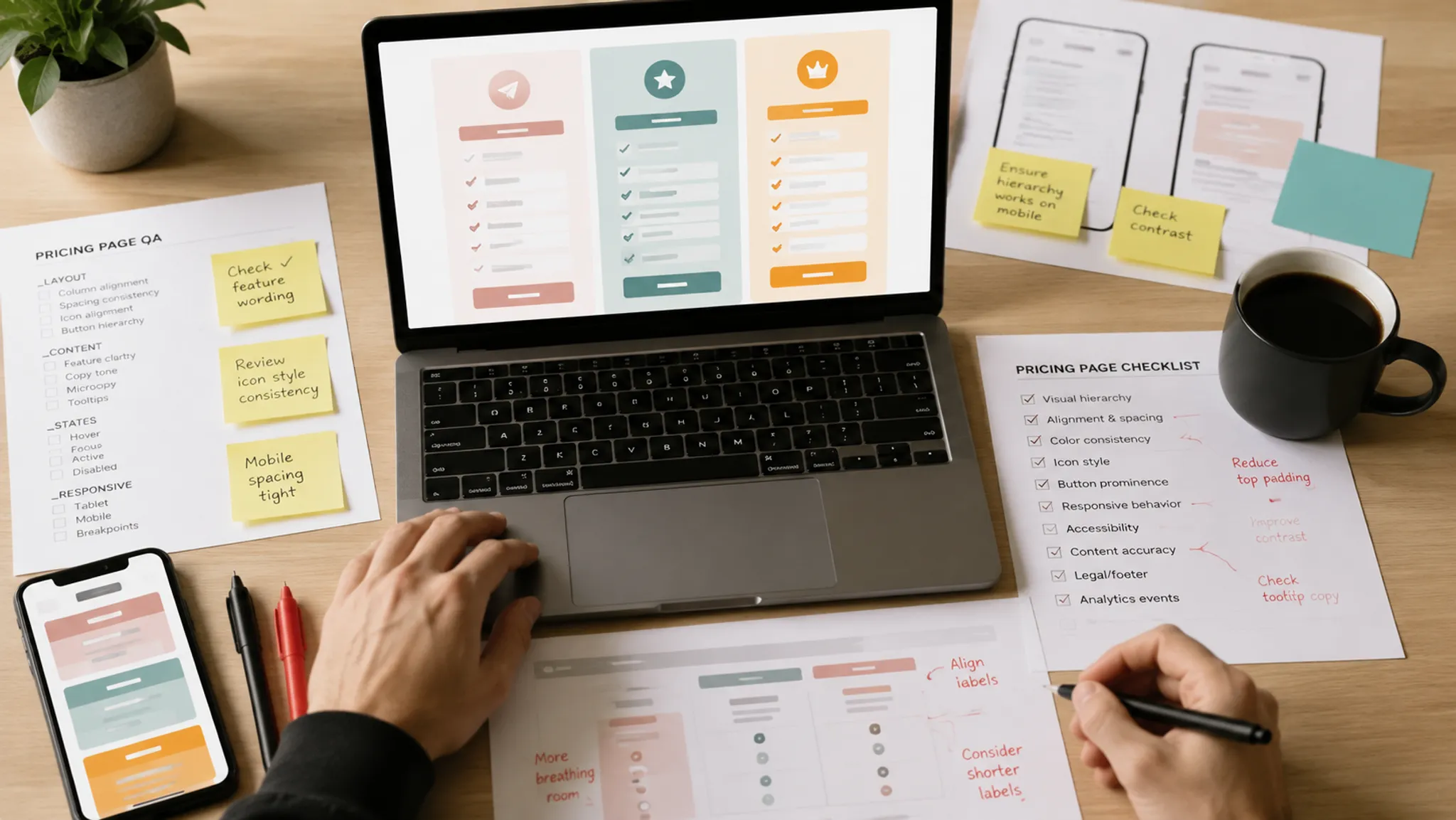
A pricing page content QA checklist should catch these disconnects before publishing. The review treats the page as one decision-support system, not a collection of finished components.
The publish gate should establish four things:
- What a buyer must compare to distinguish the plans.
- When prices, limits, conditions, and add-on costs become visible.
- What each table element, asset, FAQ item, and trust cue clarifies.
- What can disappear or become ambiguous in responsive and fallback states.
More specific pages
These pages continue the topic in smaller, more specific directions.
What Changes the QA Scope
Review depth depends on how many decisions the page presents and where the relevant conditions appear. Three fixed-price plans may need a focused table review. Usage allowances, optional modules, variable billing periods, and conditional entitlements require a broader integration pass.
Offer complexity
Count more than plan columns. Inspect feature categories, quantities, rates, exceptions, dependencies, reset periods, and unavailable states.
A label such as “API access included” may hide several variables: available methods, request allowances, time windows, overage behavior, and plan-specific restrictions. Technical pricing research provides useful terminology for separating these conditions, although it does not prescribe a universal SaaS page design.
Add-on dependence
An add-on may be optional, required for a named workflow, limited to selected tiers, or priced separately for every plan. Those relationships require different wording and placement.
Research in booking and service-fee settings suggests that disclosure sequence and fee complexity can affect how people evaluate a total. That evidence does not predict SaaS outcomes. It supports a narrower review question: can a buyer identify required and likely charges before following a plan path?
Distributed conditions
Conditions may appear in the table, footnotes, tooltips, FAQ accordions, add-on blocks, or a later purchasing step. Each component can be accurate in isolation while the combined path remains difficult to reconstruct.
Do not review the table alone.
Responsive transformation
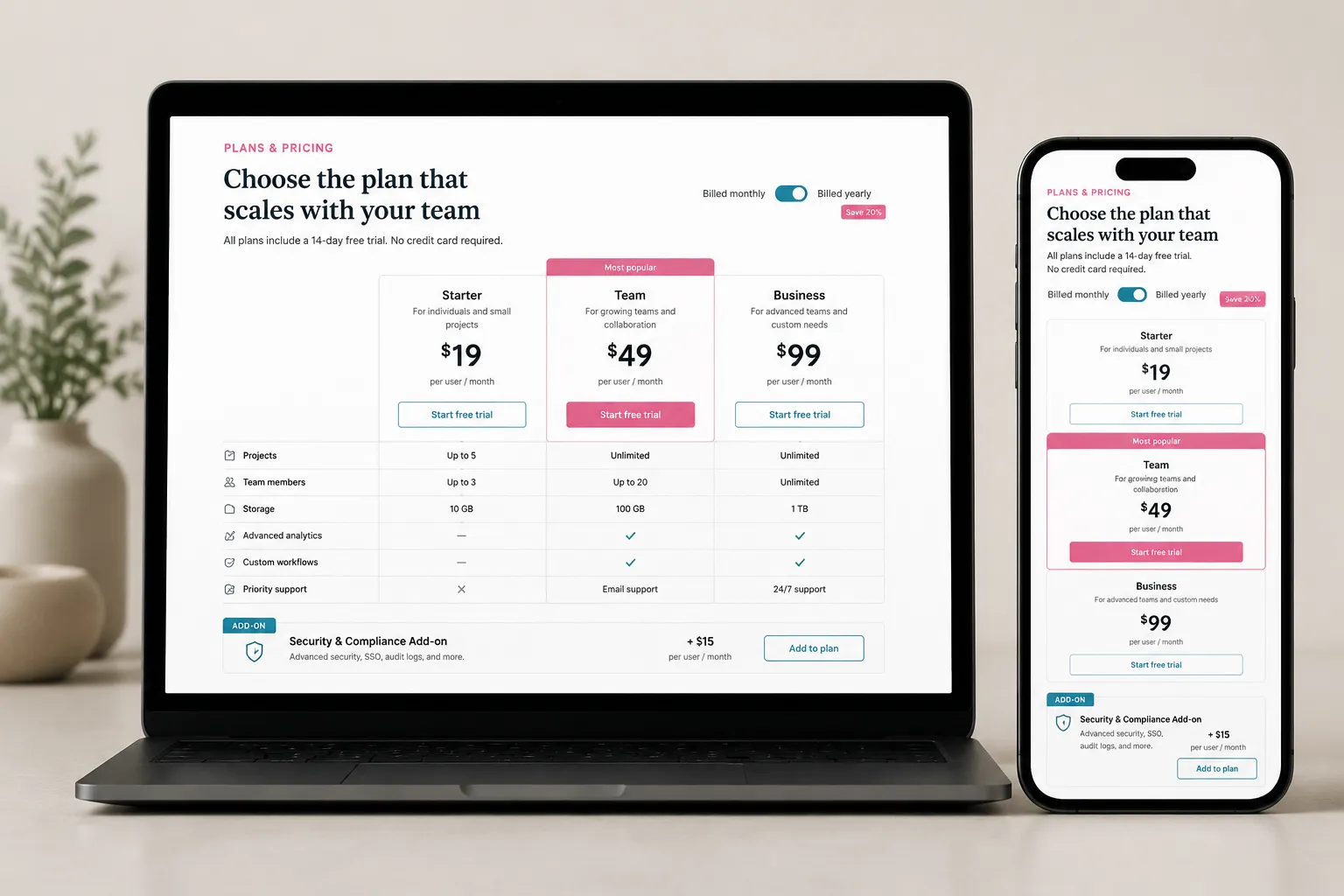
A desktop matrix may become stacked cards, a scrolling table, or a shortened summary. Each transformation changes which labels and plan differences remain visible together.
The mobile pass belongs inside content QA. It should verify that prices retain their billing qualifiers, values retain their row labels, and add-on conditions remain recoverable.
Set Up the Publishing Gate
Follow the buyer’s decision path while keeping production ownership visible. Start with the offer model, inspect its representation in the table, and follow dependent information through disclosures, assets, FAQs, mobile layouts, and fallback states.
| Review field | What to record |
|---|---|
| Visible element | The plan column, feature row, add-on block, FAQ item, disclosure, asset, or trust cue. |
| Buyer consequence | The question that cannot be answered or the distinction that becomes unclear. |
| Required action | Verify, revise, relabel, regroup, restore, remove, or escalate. |
| Owner and state | The responsible team, source of truth, status, and unresolved dependency. |
This structure replaces comments such as “make pricing clearer” with production instructions. Use three outcomes: pass when the element supports the intended comparison, revise when the required change is understood, and hold when a source, rights record, technical answer, or business decision is missing.
Hold is a valid result. Guessing is not.
Establish the Comparison Contract
Before reviewing layout, write down what a buyer must be able to compare on the page. Keep this contract short enough to use during the review.
- The intended account or use case for each plan.
- The displayed billing period and selectable alternatives.
- Included features, measurable allowances, rates, and reset periods.
- Important exclusions, conditional states, and unavailable features.
- Add-ons, eligible plans, dependencies, and pricing bases.
- Conditions that change the displayed or payable amount.
- The destination of sales-led and custom-price paths.
Map each distinction to a visible location. If an FAQ completes an answer started in the table, record that dependency. A decisive condition should not exist only in an internal document.
Separate offer truth from layout preference
Offer truth defines what is included, excluded, limited, or charged. Layout preference determines how those facts appear.
Resolve the offer first. A stronger tier cue cannot repair an unsettled entitlement, and a shorter label cannot reconcile conflicting limits.
Review the Pricing Table in Three Passes
Plan column consistency
Read each plan column from top to bottom before comparing it with adjacent plans. Check the plan name, buyer cue, price, billing period, unit basis, included allowance, overage relationship, primary action, add-on availability, and footnotes.
Then compare the same fields across every column. Missing information must remain distinguishable from information that does not apply. A blank cell may mean unavailable, omitted, undecided, or not relevant; the page should not make buyers infer which one.
Feature row precision
Read each feature row without relying on its category heading or tooltip. The label should identify the actual comparison variable.
Separate availability from quantity, quantity from rate, included usage from paid usage, and product capability from service response. Split labels when entitlements vary independently. “Security and support” is too compressed if plans differ on only one of those dimensions.
Unavailable states and tier cues
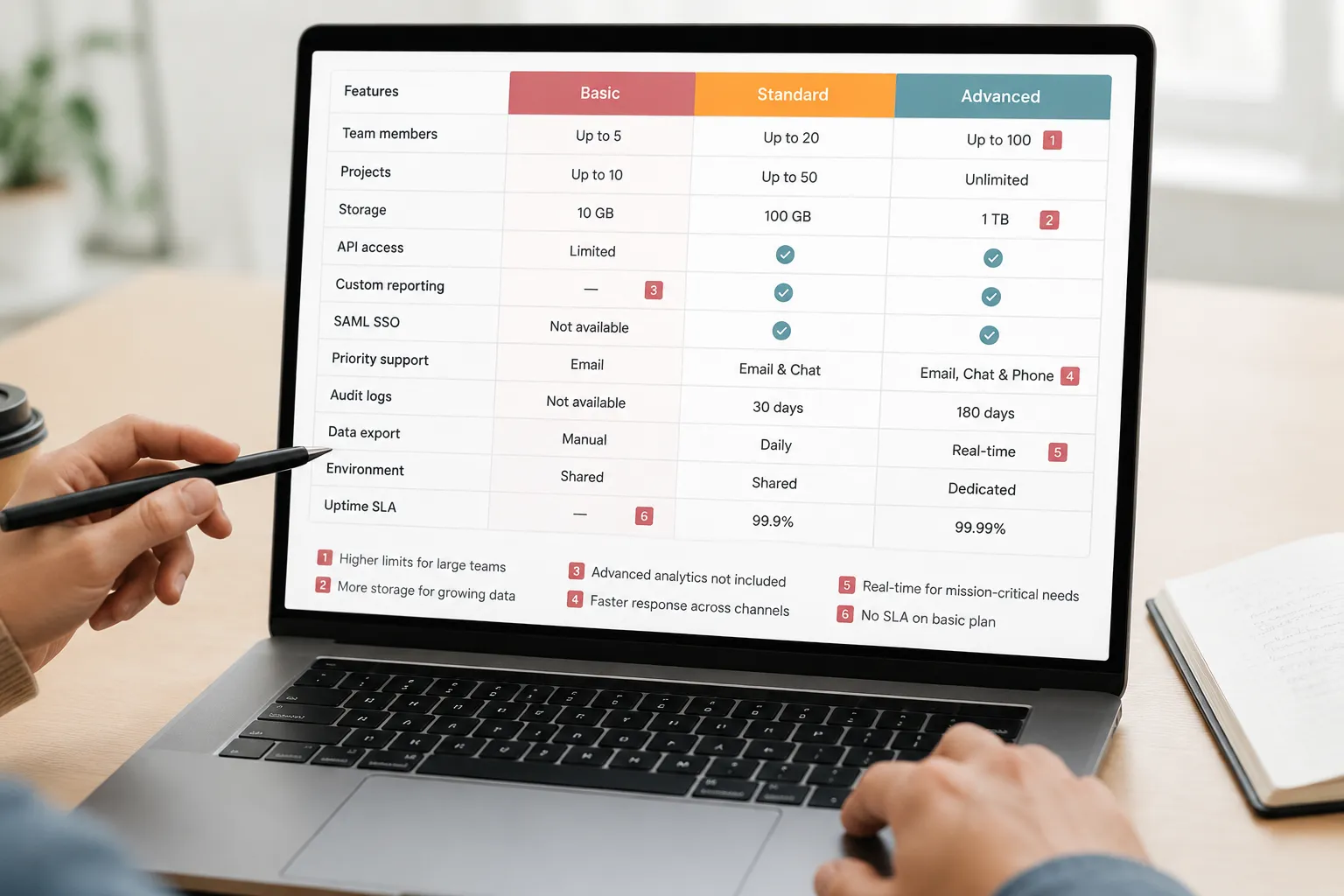
Review every dash, empty cell, muted icon, and negative label. A feature can be absent, quota-limited, sold as an add-on, or available through sales. One generic symbol removes distinctions needed for comparison.
Inspect highlighted columns, badges, borders, and background treatments separately. A tier cue should not conceal qualifiers or imply a broader advantage than the page supports. Judge visual treatment by observable behavior: whether labels remain readable and the intended scanning path remains intact.
Table completion test
The table is brief-ready only if a reviewer can identify:
- What changes between adjacent plans.
- Which differences involve quantities rather than availability.
- Which conditions affect the displayed price.
- Which features require an add-on or another dependency.
- Which details remain unresolved or intentionally deferred.
- Whether the same answers survive the mobile transformation.
Connect Add-Ons, Disclosures, and FAQs
An add-on block should state its relationship to the core plans. Proximity does not explain compatibility.
For each add-on, verify the capability it adds, eligible plans, optional or conditional status, price basis, billing period, usage unit, and dependencies. Compare repeated descriptions in the pricing table and FAQ.
Inspect disclosure timing on mobile
Follow the order in which information actually appears. Confirm that a billing qualifier remains beside its amount, footnotes retain their targets, and required conditions appear before the primary plan action.
Also check whether sticky controls cover disclosures and whether opening an accordion pushes its heading or context out of view. The test is whether the pricing logic remains reconstructable, not whether every desktop element occupies the same position.
Keep essential plan truth out of hidden-only states
An FAQ may explain complexity, edge cases, or terminology. It should not introduce a decisive entitlement that is absent from the table and offer record.
For every pricing-related FAQ item, identify the table row or add-on it qualifies, the source of truth, repeated amounts or limits, and the revision needed after a plan change. Move conditions closer to the element they qualify when hiding them would change the apparent offer.
Give Assets a Defined Decision-Support Job
Each asset should clarify a comparison, entitlement, process, or condition. Write its job in one sentence before approving production.
- Clarify how usage is measured across plans.
- Distinguish an included capability from an optional module.
- Show the relationship between account-level and user-level limits.
- Explain a workflow referenced in a feature row or FAQ.
A brief-ready asset record should identify the buyer question, supported page element, required labels, source values, desktop and mobile placement, text alternative intent, fallback behavior, source-rights note, owner, and replacement trigger.
Do not place critical pricing conditions only inside an image. Surrounding text should preserve the decision-relevant answer when the asset does not load.
Test responsive and fallback states
Inspect slow, failed, blocked, removed, cropped, and empty-media states. Include long replacement labels, unavailable logos, missing captions, and narrow viewports.
A fallback passes this editorial review when critical pricing information remains in text, unrelated sections do not merge, and missing media does not create a misleading state. Browser-specific behavior and formal accessibility conclusions require broader, directly applicable evaluation.

Inspect FAQ Interaction Without Overstating the Result
FAQ accordion responsive QA has two layers. Content integration checks whether an answer completes or contradicts another page element. Interaction inspection checks whether the answer remains available across supported states.
At each tested viewport, inspect closed and open states, wrapped questions, long answers, focus visibility, trigger order, open-state communication, sticky-element interference, viewport changes, and media failure.
These checks can reveal hidden content, overlap, lost context, or unavailable controls. They do not establish formal accessibility conformance. Record component defects for focused implementation work while keeping this branch-level gate centered on the complete pricing decision path.
Audit Trust Cues, Claims, and Asset Records
Trust cues and marketing claims
Prominence does not validate a badge, customer count, ranking, partner mark, testimonial summary, performance statement, or comparison claim. Treat each as a claim-bearing element with identifiable provenance.
Record the exact wording, likely reader interpretation, supporting record, date or version, required qualifier, review owner, and action if the source changes. Support for one product, plan, period, or customer group should not silently become a broader statement.
A marketing claim source audit can reveal missing provenance, stale dates, mismatched scope, or qualifiers lost during editing. It does not determine whether a statement meets every applicable legal requirement. Revise, restore the qualifier, request stronger support, or hold publication.
Third-party asset rights
Record the source, creator or provider when known, supplied permission or license material, stated conditions, attribution requirements, modification status, placement, and unresolved questions for each third-party asset.
The source-rights note creates traceability. It does not resolve permission by itself. Missing records should trigger escalation before publishing rather than inferred approval.
Perform the Mobile Pricing Table Review
Do not reduce the mobile review to viewport fit. Begin at the page heading and follow the comparison path without relying on desktop memory.
Verify that a buyer can identify the current plan, feature category, label attached to each value, billing period, unit basis, add-on status, footnote target, and route back to another plan.
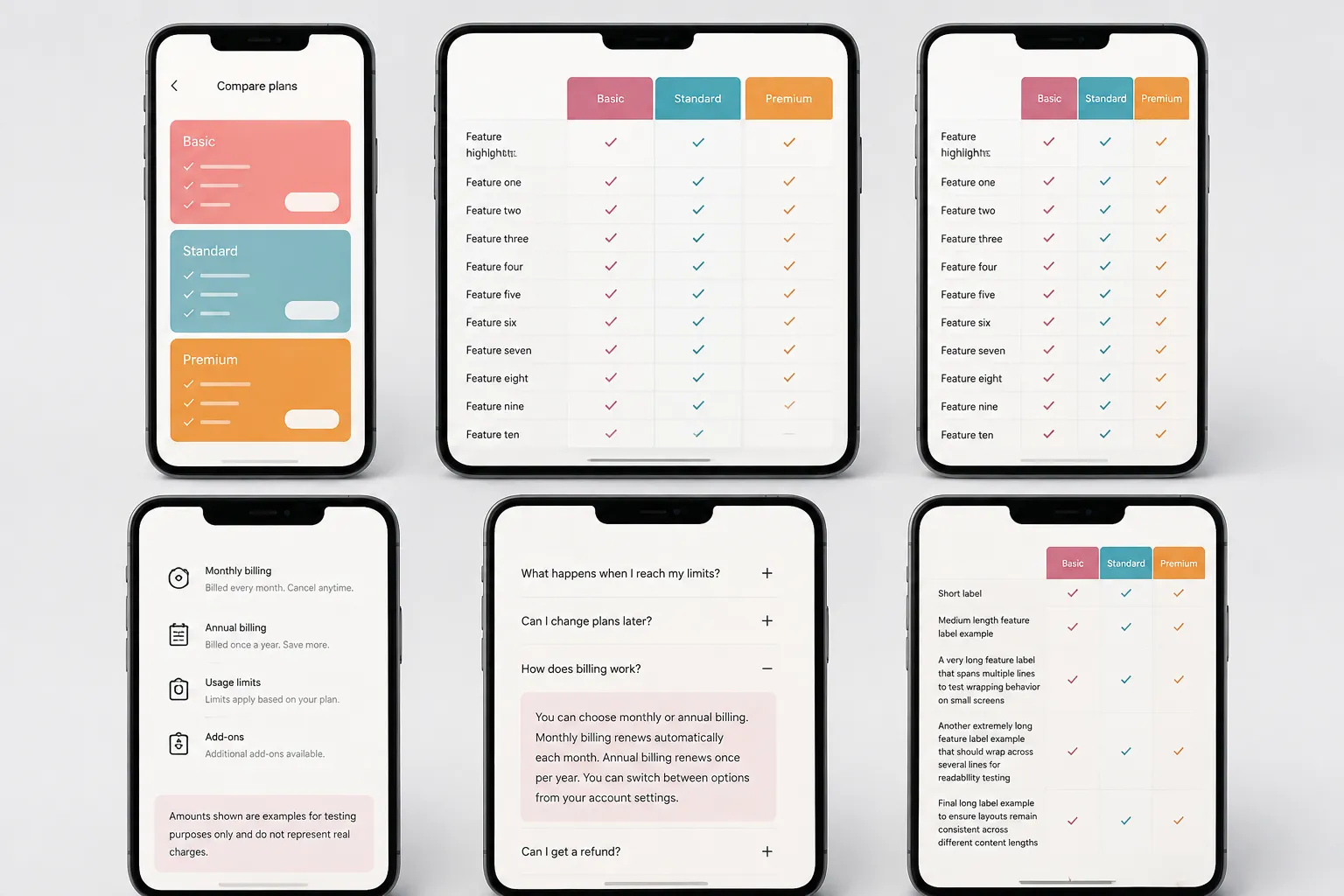
Stacked cards may improve local reading while weakening cross-plan comparison. Horizontal tables preserve adjacency but can hide plan names or row labels during scrolling. Judge either pattern by whether the required distinctions remain recoverable.
Check content parity and layout stability
Compare desktop and mobile inventories. Record every price qualifier, usage limit, reset period, add-on condition, unavailable-state label, category heading, trust-cue qualifier, and custom-price explanation that is shortened, moved, collapsed, or removed.
Test current extremes such as long plan names, large prices, badges, error messages, and expanded labels. Dynamic content should not overlap later information or resize controls unpredictably.
Reconcile Every Repeated Offer Fact
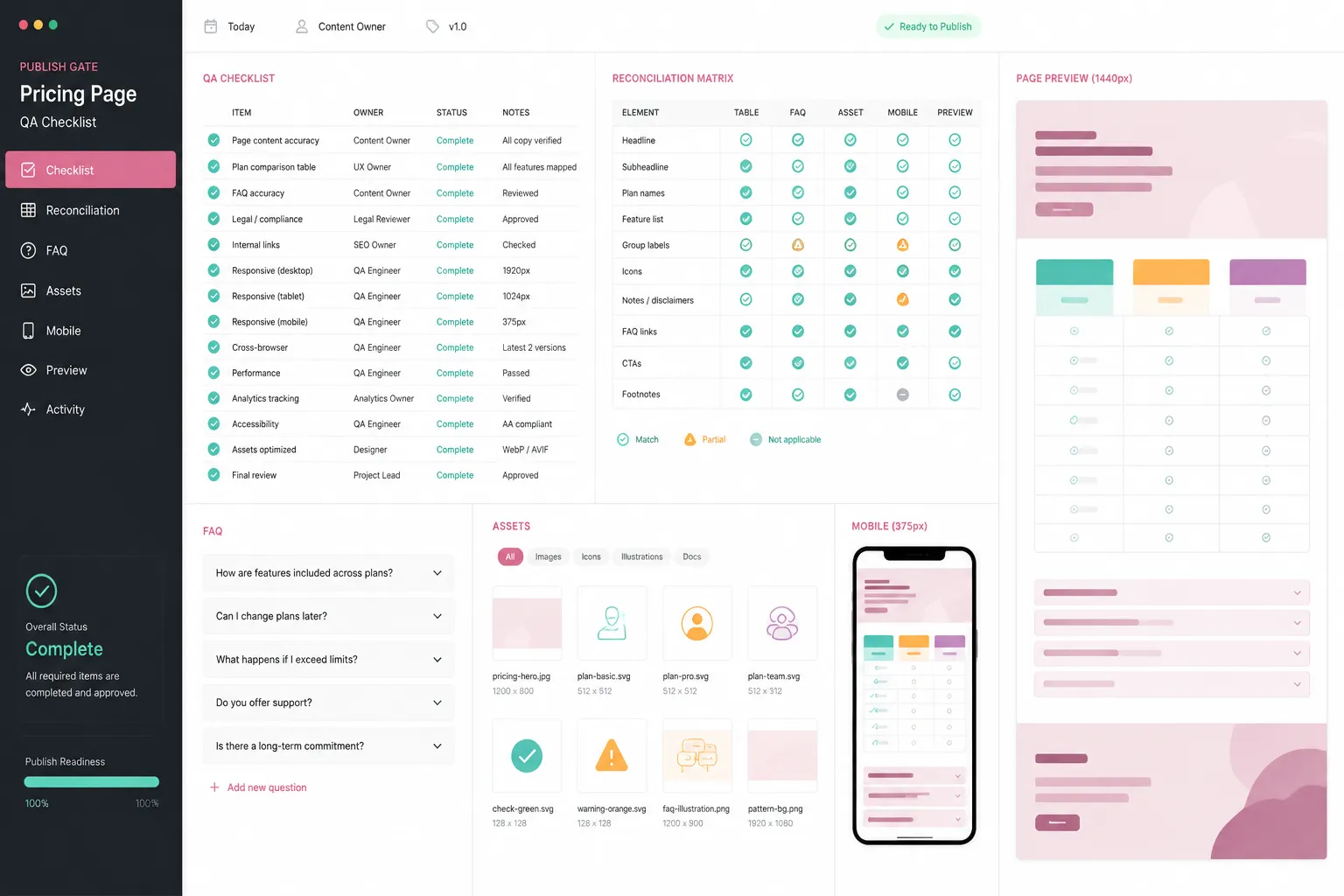
End the pricing page pre-publish audit with a reconciliation matrix. Component reviews can miss contradictions between representations of the same offer.
| Statement | Table | Add-on or FAQ | Asset | Mobile | Source of truth |
|---|---|---|---|---|---|
| Plan name and price basis | Compare | Check if repeated | Check labels | Confirm retained meaning | Verify |
| Feature availability | Compare | Check dependencies | Check representation | Check state wording | Verify |
| Usage limit and time window | Check units | Check detail | Check displayed values | Check labels and qualifiers | Verify |
| Add-on relationship | Check marker | Check eligibility and price | Check dependency labels | Check recoverability | Verify |
Retain a dated capture of the rendered page with the review result. Record what was missing, unclear, or unavailable at review time. A historical capture is not the current source of truth, but it can show when a discrepancy entered the page.
Common Pricing Page QA Mix-Ups
Completeness is not integration
A page may contain every relevant condition while scattering them across distant sections. Ask whether the buyer encounters each condition when it matters.
A tooltip is not a stable label
Tooltips can add detail. They should not contain the only explanation of a feature row, price unit, or unavailable state.
Mobile parity is not identical layout
Desktop and mobile may use different structures. Both should preserve the same decision-relevant meaning and essential answers.
A source record is not a final rights decision
Documentation identifies origin, supplied conditions, and unresolved questions. It remains an escalation prompt when the record is incomplete.
A completed checklist does not establish business impact
The gate can reveal omissions, contradictions, and fragile states. It cannot show that a revision will produce a particular commercial result.
Pricing Page Content QA Checklist
Offer and comparison
- The buyer’s required comparisons are documented.
- Plan names, price bases, billing periods, and primary actions are consistent.
- Rows separate availability, quantity, rate, and conditions.
- Limits retain their units and time windows.
- Unavailable, conditional, blank, and add-on states remain distinct.
Conditions, assets, and FAQs
- Billing qualifiers remain attached to the prices they modify.
- Add-on eligibility and dependencies are explicit.
- Every asset has a defined decision-support job and fallback expectation.
- Critical pricing information is not image-only or hidden-only.
- FAQ answers agree with the table and current offer record.
Responsive and fallback states
- Mobile users can recover plan names, feature labels, and adjacent differences.
- Desktop-to-mobile changes preserve essential content.
- Missing, blocked, delayed, and cropped assets have been inspected.
- Long labels, prices, badges, and errors do not overlap nearby content.
- Sticky controls do not cover conditions or actions.
Claims, rights, and reconciliation
- Material claims have traceable supporting records and retained qualifiers.
- Trust cues have current wording, provenance, and an owner.
- Third-party assets have source-rights notes and unresolved questions are visible.
- Repeated offer facts agree across tables, add-ons, FAQs, assets, and mobile states.
- Every revision and publication hold has an owner, status, and resolution question.
- The final rendered page has been reviewed, not only the source copy.
Evidence Coverage and Review Limits
The available research provides useful but uneven support for this workflow. Comparison-table research supports inspecting organization, ordering, grouping, and visual treatment without establishing one preferred pricing-table design.
Price-disclosure and ancillary-fee studies support attention to timing and complexity. Their booking and service-fee settings should not be treated as evidence of SaaS outcomes. Technical pricing research helps separate plans, limits, quotas, rates, resources, and time windows, while subscription-interface research provides a bounded reason to inspect disclosure and interaction patterns.
None of these sources directly tests an end-to-end SaaS pricing page publishing QA workflow. FAQ interaction, responsive behavior, image fallback, claim substantiation, and asset rights therefore remain procedural checks here. Broader standards, technical, rights, or legal conclusions require directly applicable material and a review scoped to that question.
Publish When the Decision Path Holds Together
The gate is complete when the page presents one coherent offer across its relevant states. The table exposes meaningful plan differences, add-on blocks identify their relationships, FAQs explain rather than redefine the offer, and mobile and fallback states preserve the same decision-relevant meaning.
The final question is not whether every component looks finished. It is whether a buyer comparing plans can reconstruct the offer without filling gaps from assumptions.
If that path breaks, revise the page or hold publication. If it remains intact, the team has a brief-ready basis for the next publishing decision.
Sources
- The Design of Product Comparison Tables and its Effects on Decision Making
- Many a little makes a mickle: Why do consumers negatively react to sequential price disclosure?
- Pricing4APIs: A rigorous model for RESTful API pricings
- Fairness perception of ancillary fees: Industry differences and communication strategies
- Staying at the Roach Motel: Cross-Country Analysis of Manipulative Subscription and Cancellation Flows