
FAQs and Contextual Disclosures
A pricing page needs a clear answer when a buyer asks which plan, limit, or charge a visible detail refers to.
The table may show prices, feature rows, usage limits, and add-ons. The FAQ may explain billing, cancellation, or implementation. The planning problem begins when the buyer must leave the comparison, find an explanation, and work out which plan it affects.
SaaS pricing page FAQ planning connects each buyer question to the page element that creates it. The answer may belong beside a feature row, below a price qualifier, inside an add-on block, or in a broader FAQ section. The choice depends on how specific, important, and reusable the explanation is.
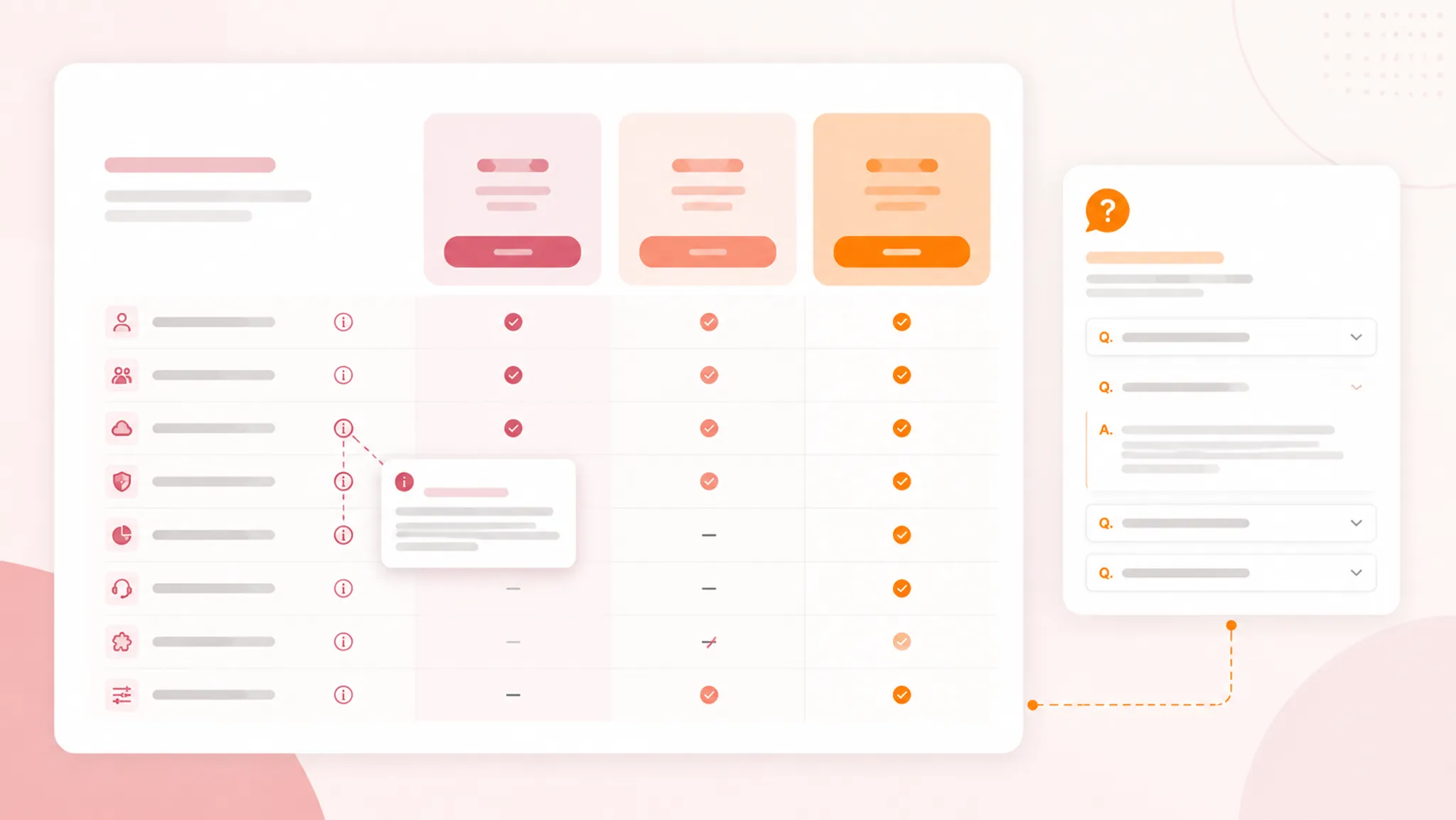
This branch-level framework helps teams:
- compare SaaS plans without losing table context;
- place pricing qualifiers near the relevant price;
- separate contextual disclosures from broader FAQs;
- brief FAQ illustrations and supporting assets;
- review collapsed content and mobile pricing-table behavior;
- check source rights, metadata, and publishing readiness.
More specific pages
These pages continue the topic in smaller, more specific directions.
Start With the Unanswered Buyer Question
Begin with the question, not the FAQ component. A buyer comparing plans may need to know what a feature includes, whether a price is per user or workspace, when a usage limit resets, or whether an add-on works with the selected tier.
Questions about cancellation, plan changes, technical requirements, and limit overages may apply across several columns. They can belong in a broader FAQ, but a condition that changes the comparison should appear near the relevant price, row, or add-on first.
| Brief field | Planning question |
|---|---|
| Buyer question | What uncertainty is the reader trying to resolve? |
| Page trigger | Which price, feature row, tier cue, add-on, or qualifier creates it? |
| Explanation location | Where can the answer be found without losing comparison context? |
| Mobile check | Can the answer still be found and understood on a narrow screen? |
Write the first usable answer early. A buyer should not have to read the entire page before learning whether a qualifier changes the comparison.
Contextual Disclosures Versus Pricing-Page FAQs
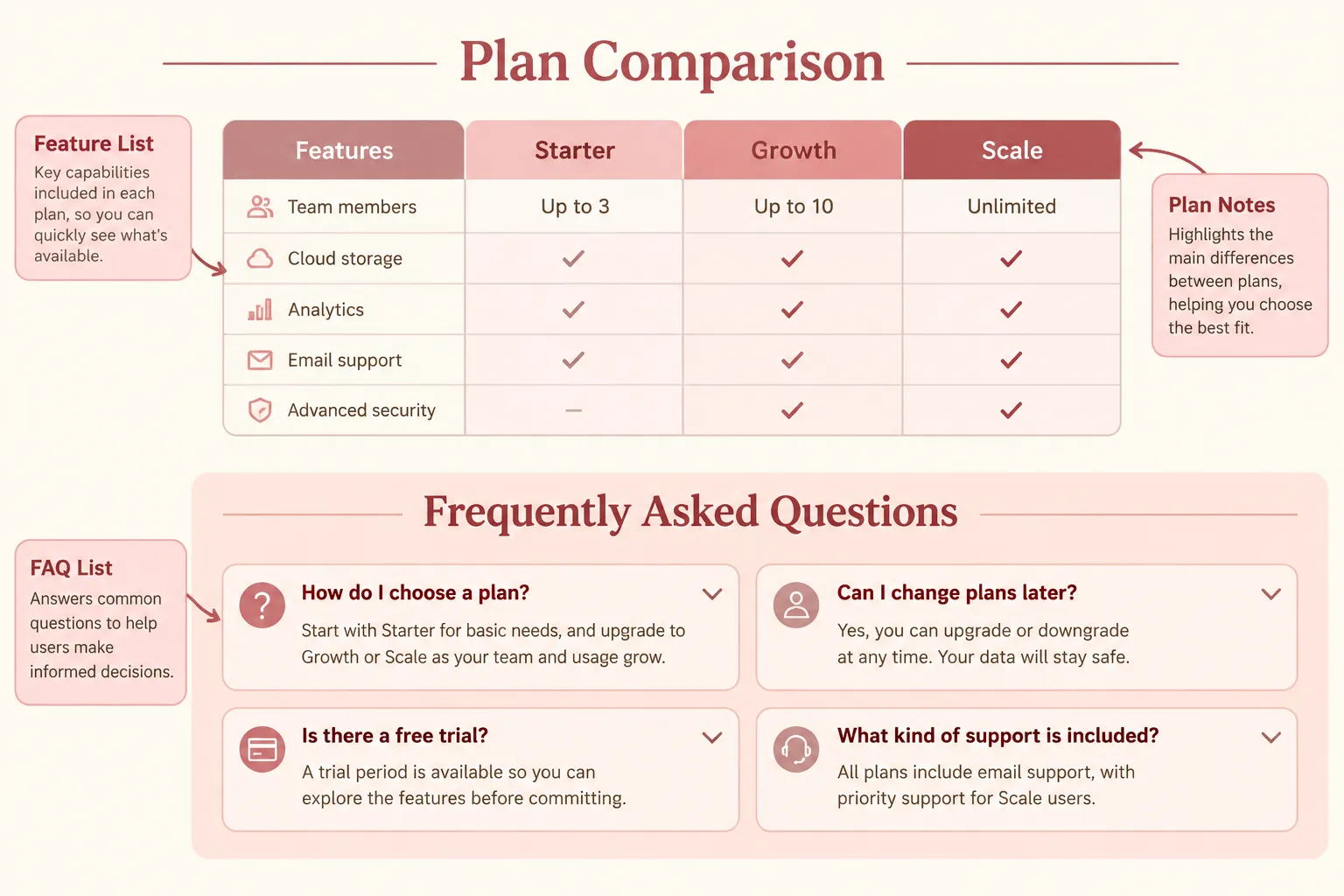
The distinction is practical. A contextual disclosure explains a visible page element where the buyer encounters it. A pricing-page FAQ answers a broader question that may apply across several plans or across the purchasing process.
Use a contextual disclosure for one visible element
An inline note, adjacent explanation, short label, or expandable detail may suit a question tied to one plan column, feature row, usage limit, billing selector, charge, add-on, or price term.
If a feature row says “Advanced reporting,” the nearby explanation should define what that label means in the table. Moving the answer to a distant FAQ forces the buyer to remember the row, leave the comparison, and map the explanation back to the plan.
Keep the local answer brief. Its job is to preserve the comparison task, not reproduce the full product documentation.
Use an FAQ for wider scope
A broader FAQ can cover billing, plan changes, cancellation, team requirements, add-on relationships, or information a buyer should prepare before choosing a plan. These answers may require more context or apply to several columns.
The tempting shortcut is to place every explanation in the FAQ. That creates distance from the decision. The opposite shortcut is to put every detail inside the table, making feature rows difficult to scan.
Use the table for comparison-critical information, contextual disclosures for nearby clarification, and FAQs for reusable explanations with broader scope.
Keep Comparison-Critical Details Visible
A disclosure should not conceal information that materially changes the comparison. Research on online disclosures provides useful principles around timely presentation, plain language, and visibility. For this page, those principles become observable review checks rather than legal conclusions.
Keep the following near the relevant price or plan:
- billing period and pricing unit;
- fixed charges that apply to the displayed plan;
- variable charges that may change the total;
- optional charges a buyer may add;
- important usage limits;
- plan-specific restrictions;
- conditions that determine add-on availability.
A small qualifier can work when it remains readable and clearly associated with the price. A qualifier revealed only after several interactions deserves a separate review. Do not make a buyer discover a material pricing condition after starting the purchase flow.
An icon can draw attention, but it should not carry the explanation alone. Complex pricing information still needs text that a buyer can scan and interpret.
Organize Plans, Features, and Add-Ons Separately
SaaS pricing pages contain different information objects. Treating them as interchangeable creates confusion about what the buyer is actually comparing.
Plan columns
A plan column represents a subscription option or tier. The brief should identify its name, headline price, billing unit, period, described audience, included capabilities, relevant limits, and connected add-ons or conditions.
Do not let an illustration or promotional cue make one column appear to include features belonging to another. The visual hierarchy should support the table labels.
Feature rows
A feature row supports direct comparison. Its label should remain understandable beside several plan columns. When the label must stay short, attach an explanation that defines the term, describes a limit, or identifies the displayed marker.
Before publishing, check that every listed feature maps to a visible plan or add-on. A feature should not appear available without showing where it is included.
Add-on blocks
An add-on is not automatically another plan. Give it separate treatment when its price, unit, availability, or scope differs from the base subscription.
The add-on block should show:
- what the add-on is called;
- what it changes or provides;
- how it is priced;
- which plans can use it;
- whether it is optional or required;
- where its related explanation appears.
SaaS pricing research distinguishes plans, subscriptions, features, add-ons, and usage limits. The production implication is simple: label these objects consistently so the buyer can tell what belongs to the base plan and what does not.
Turn Questions Into a Page Brief
1. Inventory the visible elements
List every plan column, feature group, price qualifier, selector, add-on, and prominent trust cue. Include elements that appear only after an interaction. Describe the actual page before selecting a FAQ pattern.
2. Record the question each element creates
Write the buyer's likely question in plain language. “Usage limit” is a page label; “What happens when we reach this limit?” is the comparison problem.
External user research has reported concerns around price magnitude, technical parameters, cancellation, lock-in, and comparing several plans. Treat those findings as context for question planning, not as evidence about your own audience.
3. Route the answer
- If the answer changes interpretation of one visible element, keep it contextual.
- If it applies across multiple plans, consider an FAQ.
- If it changes the displayed price, keep the qualifier near the price.
- If it requires a longer explanation, provide a concise summary before the fuller content.
- If it is important to choosing a plan, do not hide it exclusively behind an interaction.
4. Draft the shortest accurate first layer
State what the term means, which plan or add-on it applies to, whether the amount is fixed, variable, or optional, and where the fuller explanation lives.
Do not turn a short disclosure into a miniature contract. Do not shorten an answer by removing a condition that changes the decision.
5. Brief the supporting visual
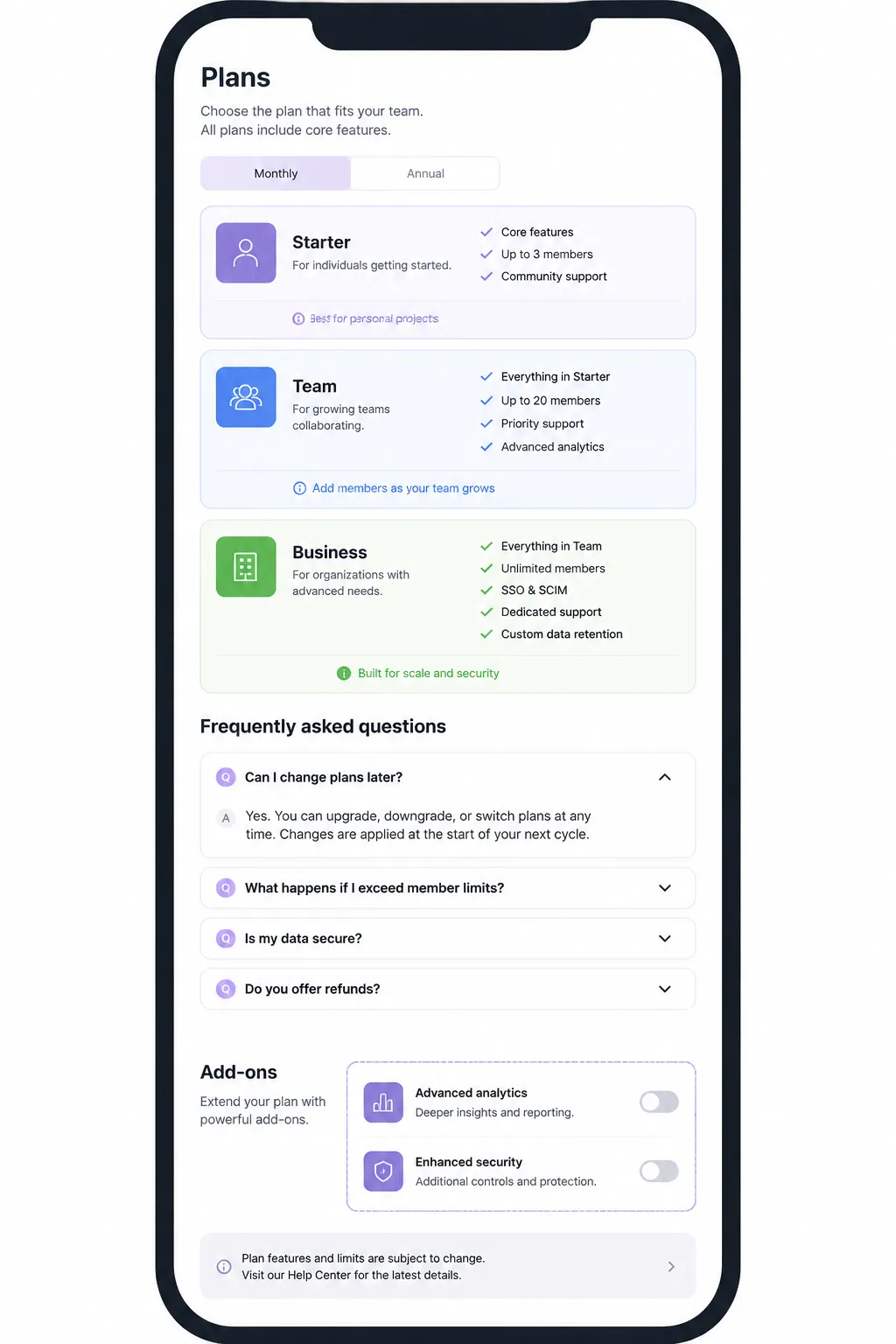
An FAQ illustration should explain the question's structure rather than decorate an empty section. Possible directions include a labeled plan-to-add-on relationship, a usage-limit diagram, a distinction between included and optional items, a focused table crop, or a mobile view showing where the explanation remains available.
Specify the asset's purpose, source or creation method, dimensions, caption needs, alt-text subject, and source-rights note. The image should not carry information that the text does not also communicate.
6. Run desktop and mobile passes
On desktop, check whether qualifiers sit beside the correct price, labels remain associated with the right element, expanded content obscures nearby information, and add-ons look distinct from base plans.
On mobile, check whether plan names and feature labels remain connected, horizontal movement hides comparison anchors, qualifiers separate from their prices, collapsed content becomes difficult to find, and illustrations still support the text at reduced size.
The supplied material does not establish universal behavior for accordion semantics, keyboard focus, anchor links, or responsive interaction. Treat those as implementation checks requiring current technical review.
Choose FAQ Placement and Interaction Carefully
FAQ placement should follow the buyer's path through the page. A possible sequence is headline pricing and billing context, plan comparison, contextual explanations, add-on information, broader FAQs, and the final purchasing or contact route.
This is a planning pattern, not a performance conclusion. A FAQ before the table may introduce terminology early but delay comparison. A section far below the table may preserve the first scan but become difficult to discover. A short question index can aid orientation when the section is long, provided it also works on mobile.
For expandable content, include the question label, default state, answer length, relationship to the relevant table element, behavior after expansion, mobile layout, and implementation review requirement.
An open-and-close effect alone does not establish correct semantics or focus behavior. Confirm the implementation separately before describing the pattern as meeting an accessibility requirement.
Resolve Common Misunderstandings
A plan is not an add-on
Similar cards, colors, or price labels can make an add-on look like a competing tier. Use distinct labels and grouping.
A feature is not a usage limit
“Includes analytics” and “10,000 events per month” answer different questions. Keep capabilities and measurable limits distinguishable.
An optional charge is not part of the headline price
Show whether an amount is included, conditional, or selected separately. State its relationship to the plan or add-on block.
A short answer is not a complete disclosure
Summaries support scanning, but they should not remove a condition that changes the plan decision.
A visible FAQ is not automatically findable
Questions may remain difficult to use when their wording does not match the feature rows and qualifiers above. Align those labels so the buyer can connect the sections.
A mobile layout is not simply a smaller desktop layout
If the table changes structure, the brief must explain how plan names, feature labels, qualifiers, and explanations remain connected in the narrow-screen version.
Check Assets, Rights, and Metadata
Add a source-rights note for every external image, icon set, screenshot, or illustration. Record the source, permitted use, required attribution, intended location, editing permission, and replacement plan if rights cannot be confirmed.
Keep rights review separate from factual review. An asset can have usable rights while still communicating an unsupported claim.
For accessibility metadata, describe what the asset shows and why it appears beside the explanation. Alt text should match the visible asset and its page role, not act as a sales message.
A content brief can identify implementation checks, but formal accessibility review requires assessment against applicable standards and current technical guidance.
Brief-Ready Review Matrix
| Review area | Check |
|---|---|
| Question | Is the buyer's uncertainty stated plainly? |
| Location | Is the answer beside the relevant table element or in the broader FAQ? |
| Scope | Does it apply to one plan, several plans, or the purchase process? |
| Price | Are fixed, variable, and optional amounts distinguishable? |
| Comparison | Can a buyer compare plans without losing the explanation? |
| Language | Are terms short, specific, and free of internal jargon? |
| Interaction | Is important information available without relying on an undisclosed interaction? |
| Mobile | Does the answer remain findable during a mobile pricing-page inspection? |
| Asset | Does the illustration clarify the relationship between the question and page element? |
| Rights | Is the source-rights note complete? |
| Metadata | Do captions and alternative descriptions match the asset? |
| Publishing | Has the final page been checked in its actual layout? |
The matrix is useful when it produces a revision. If a check cannot be answered, assign it to the appropriate design, content, development, or accessibility review rather than marking it complete.
FAQs About SaaS Pricing Page FAQ Planning
What should appear beside a pricing qualifier?
Place the explanation there when the qualifier changes how a buyer interprets the displayed price, billing unit, usage limit, or plan condition. A broader FAQ can expand the point, but it should not be the only location.
How do contextual disclosures differ from pricing-page FAQs?
Contextual disclosures explain a specific visible element at the point of comparison. FAQs answer broader questions that may apply across several plans or throughout the purchasing process.
Should every pricing-page FAQ be expanded by default?
There is no universal answer in the supplied material. Consider answer importance, length, page density, and how quickly the buyer needs the information. Any collapsed pattern requires separate implementation review for semantics, focus behavior, and mobile use.
How can optional charges remain distinct?
Keep them visually and verbally separate from the headline plan price. Show the related plan or subscription, pricing unit, and relationship near the price or add-on block.
Where should an FAQ illustration appear?
Place it beside the question or section it clarifies. It may show a plan-to-add-on relationship, usage limit, or focused table comparison, but it should support the text rather than replace it.
What belongs in a mobile pricing-page review?
Check whether plan names, feature labels, prices, qualifiers, and FAQ answers remain connected. Also inspect horizontal movement, collapsed content, image scaling, and every interaction needed to reveal important information.
When should an FAQ become a separate page?
Consider a separate page when the explanation is too extensive for the pricing workflow or requires product documentation, account-specific details, or a longer implementation discussion. Keep the essential summary and relevant qualifier available on the pricing page.
Completion Test
The brief is ready when a reviewer can take any important pricing question and identify the visible element that creates it, the plan or add-on it concerns, the shortest accurate explanation, the location of the fuller answer, and the mobile behavior requiring review.
The same review should identify any visual asset, source-rights note, metadata requirement, and unresolved implementation question. A contextual disclosure clarifies the element in front of the buyer. An FAQ handles a broader question. When neither role is clear, revise the content location before revising the visual treatment.
Sources
- Pricing of Software as a Service – An Empirical Study in View of the Economics of Information Theory
- A User-Centered Approach to Landing Page Optimization in a Software-as-a-Service Business
- Enhancing online disclosure effectiveness
- Pricing4SaaS: Towards a Pricing Model to Drive the Operation of SaaS
- Online Terms and Conditions: Improving User Engagement, Awareness, and Satisfaction through UI Design
- Consumer Policy Guidance on Mobile and Online Payments